
A sharper memory saver for power users
SavingMemoryAggressively.
Unload inactive browser tabs on your schedule, protect the sites that matter, and see exactly what Memory Saver changed.
- Free to install
- $2.99 one-time
- No subscription
NativeChrome tab APIs
ExactPer-domain rules
PrivateNo browsing history sent
SimpleOne-time purchase
How it works
A quiet utility with visible results.
- 01
Choose your timing
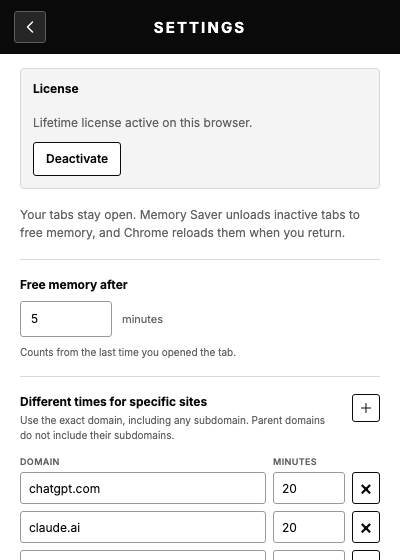
Start with five minutes, then set different timing for exact domains when a site needs more care.
- 02
Keep important sites active
Protect AI chats, work tools, or any tab you never want unloaded automatically.
- 03
See what happened
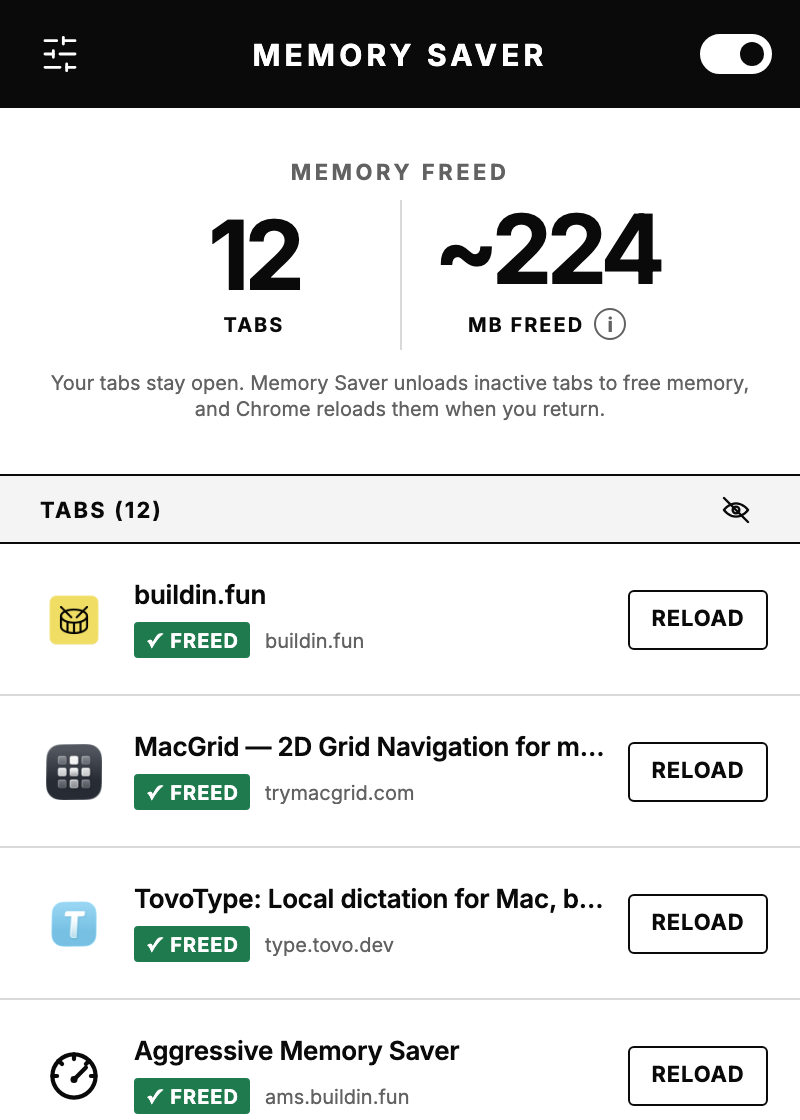
Open the popup to review freed tabs, upcoming tabs, and a rough memory estimate. Reload any tab with one click.
FAQ
Frequently asked questions.
What does freeing memory do to my tabs?
The tab stays in your tab strip, but Chrome unloads its page from memory. When you return, Chrome reloads it. Memory Saver skips tabs that Chrome considers unsafe to discard, including tabs playing audio, pinned tabs, and other activity Chrome protects from deactivation.
Why is there no dotted inactive-tab circle?
Memory Saver uses Chrome's native tab-discard API, but Chrome labels extension-triggered discards as external. The dotted circle is reserved for tabs deactivated by Chrome's own Memory Saver. The page is still genuinely unloaded.
How can I check that a tab was really discarded?
You can verify it in either of these places:
- Open Chrome Task Manager and check whether the tab's renderer disappeared or its memory footprint dropped sharply.
- Open
chrome://discards, find the tab, and confirm its loading state is unloaded and lifecycle state is discarded (external).
How accurate is the memory estimate?
Values marked with ~ are rough system-level estimates. Chrome does not expose exact memory freed per tab, and shared browser processes, caches, compression, and other apps may change at the same time. The number of unloaded tabs is the reliable result.
Can I keep important sites active?
Yes. Add an exact domain to Sites to always keep active, or give a specific domain its own timing. Subdomains are treated separately, so mail.example.com and example.com can follow different rules.
How many browser instances can use one license?
One license can be active in up to 2 browser instances at the same time. Deactivate it in Settings before moving the license to another browser or Chrome profile.
Does Memory Saver work in Chromium-based browsers?
Memory Saver is currently published through the Chrome Web Store. Microsoft Edge documents broad compatibility with Chrome extension APIs, and Brave can install nearly all Chromium-compatible extensions from the Chrome Web Store. Edge, Brave, and other Chromium-based browsers may therefore be able to use it, but installation and behavior depend on each browser and extension store.
Simple pricing
Keep your browser light.
$2.99
One lifetime license after a full 7-day free trial.
Get Memory SaverLicense key emailed after checkout.